MonuMoney.in
How I Build Profitable Fintech Calculators While Working Full-Time (Vibe Coding Guide 2026)
A B.Tech CSE guy working 9-5 built 12 fintech calculators in 1 month using Google AI Studio and Claude. Here's the exact workflow and monetisation plan.
Three months ago, I had zero live calculators on MonuMoney.in.
Today the site has 12 fully functional fintech calculators — EMI, SIP, tax regime comparison, debt snowball, retirement corpus, FD/RD, step-up SIP, mutual fund XIRR, emergency fund, home loan eligibility, flat vs reducing rate, and SWP. Every single one built while holding a full-time digital marketing job, preparing for B.Tech final exams in June, and sleeping a normal human amount.
I didn't hire anyone. I didn't write the code from scratch. I used a workflow most developers would call "not real coding" — and I genuinely don't care what they call it, because the calculators work, they rank on Google, and they're starting to bring in traffic.
This is the actual process. Not the sanitised version. The real one — including the night my entire website broke.
TL;DR: Using Google AI Studio + Claude AI as a two-step coding workflow, one non-professional developer built 12 production-ready Next.js 15 fintech calculators in under 1 month while working a 9-5 job. According to Stack Overflow's 2025 Developer Survey, 76% of developers now use AI coding tools weekly — but very few have documented a systematic workflow for complete beginners building real fintech products.
What Does My Actual Day Look Like?
The schedule isn't glamorous. I leave home at 8:30 AM. Work is 9 AM to 5 PM — I'm a Digital Marketing Team Lead at DreamDen AI in Panipat, managing SEO campaigns, Google Ads, Meta campaigns, and technical audits. Not exactly light work.
I get home around 5:15-5:30. Two hours of complete shutdown — food, rest, some mindless scrolling, maybe a walk. I've learned this buffer isn't optional. If I try to go straight from work to website work, everything I produce is garbage.
At 7 PM, I open the laptop. I work on MonuMoney.in until 9 or 10 PM. Some nights it's 11 PM if something is broken and I can't leave it.
That's it. Two to three hours per weeknight. Weekends vary — sometimes I get a productive Saturday session, sometimes I don't touch the site for two days.
The B.Tech final exams situation is its own kind of chaos. I'm completing my Computer Science degree — the irony of building a fintech site with AI while studying for CS exams is not lost on me. My study strategy is brutally efficient: I identify the minimum two units per subject needed for passing marks and study those for one or two days per week. This isn't the advice a professor would give. But I'm not trying to top my class. I'm trying to pass while building something real.
Two to three hours per day, five days a week, consistently. That's roughly 400-450 hours over three months. That's how 12 calculators happened.
What is "Vibe Coding" and Why Does It Work for Fintech?
Vibe coding is a term popularised in 2025 for AI-assisted development where you describe what you want in natural language and AI writes the actual code. You're directing, not typing. You're reviewing, not authoring.
According to GitHub's Octoverse 2025 Report, AI-assisted code generation now accounts for approximately 40% of code written in major IDEs, up from 12% in 2023. This isn't a fringe trend. Professional developers at top companies are using these tools. The difference is most tutorials for vibe coding assume you want to build a to-do app. I wanted to build a financial calculator that handles quarterly FD compounding correctly and adjusts for CIBIL scores.
Fintech is actually one of the better use cases for vibe coding, for a specific reason: the logic is mathematical and well-defined. The EMI formula is the EMI formula. The LTCG tax rules are documented. There's no ambiguity about what the output should be. This makes it relatively easy to verify whether the AI got it right — you just check the numbers against a known correct answer.
According to GitHub's Octoverse 2025 Report, developers using AI coding assistants complete tasks 55% faster on average than those working without AI tools. For solo builders without engineering teams, this speed advantage is the difference between shipping a product in months versus years.
My Exact Two-Step Workflow — The Part Most People Get Wrong
This is the core of the whole system. And it's the thing I figured out after breaking my website once in a very painful way.
Most people who try vibe coding do this: think of what they want → type a prompt into an AI coding tool → hope it works → get confused when it breaks.
My workflow has a specific two-step structure that produces dramatically better results.
Step 1: Explain the project to Claude.
Before I touch Google AI Studio, I have a conversation with Claude (this exact assistant). I explain what I'm building — which calculator, what inputs it needs, what the formula is, what the Indian-specific context matters (like CIBIL score adjustments, or quarterly compounding vs monthly, or the 44ADA presumptive tax rules). Claude understands my entire project — the tech stack (Next.js 15, Tailwind CSS), the existing code conventions, the dark/light mode theming system, the styling patterns from existing calculators.
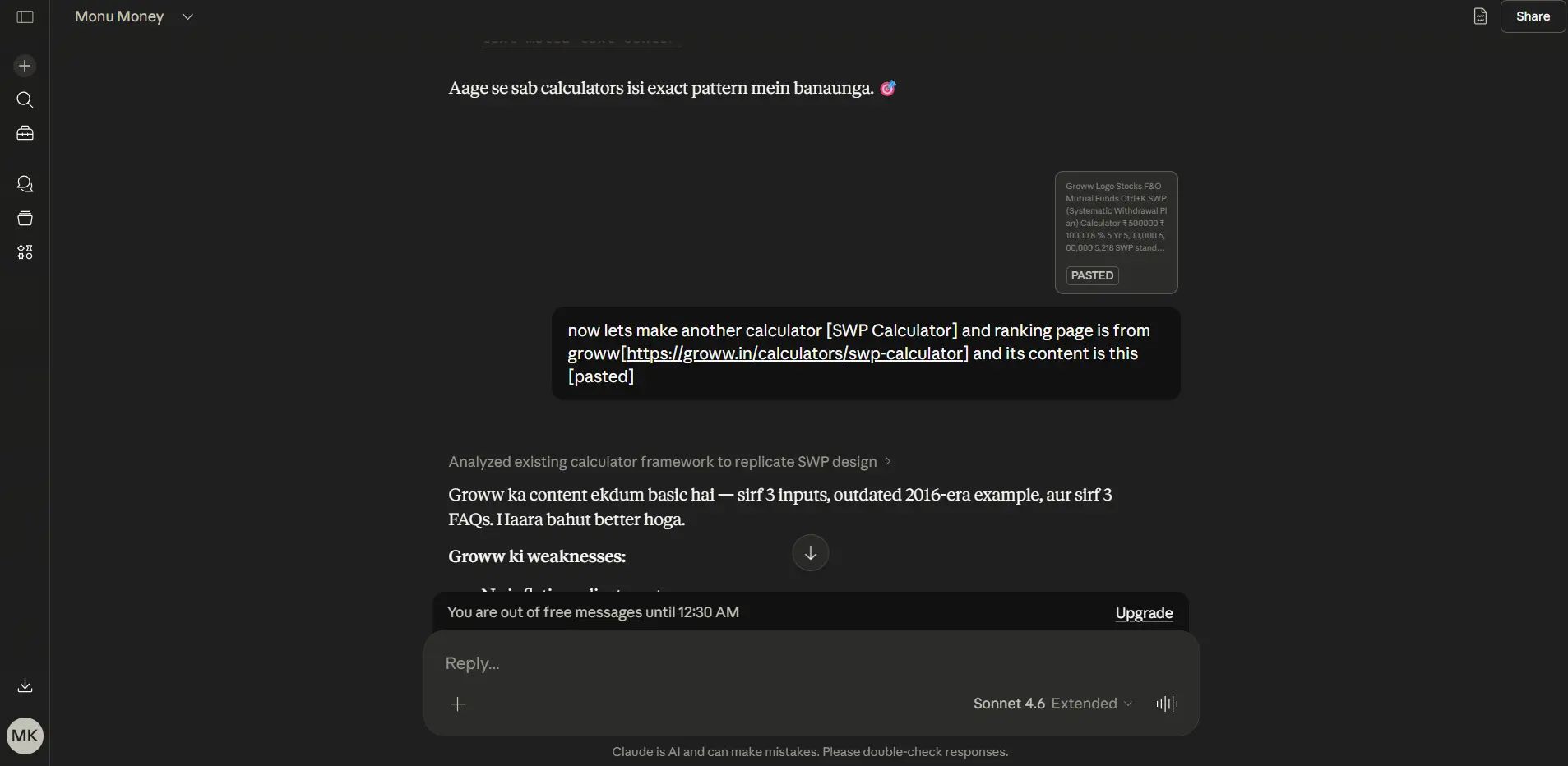
From that conversation, Claude gives me a production-ready prompt — one that's been engineered to work specifically with AI Studio's code generation, accounting for my project's existing patterns and what I'm trying to achieve.
Step 2: Paste that prompt into Google AI Studio.
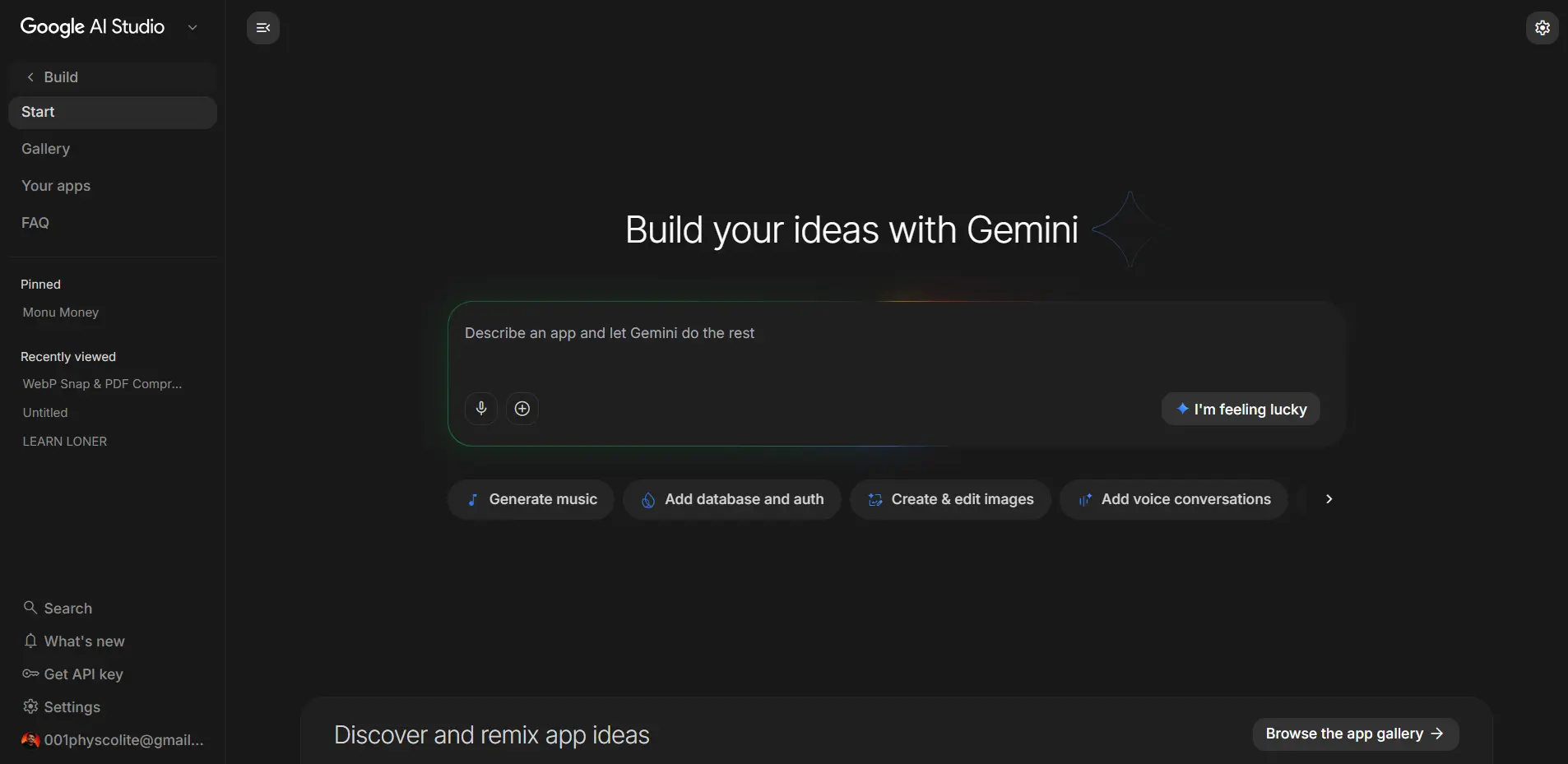
Google AI Studio is my code generation platform for one specific reason: the free tier is generous enough for serious development. The free limit handles complex calculator components without costing money. For someone building on a zero budget (no domain until the site was ready, no paid tools), this matters.
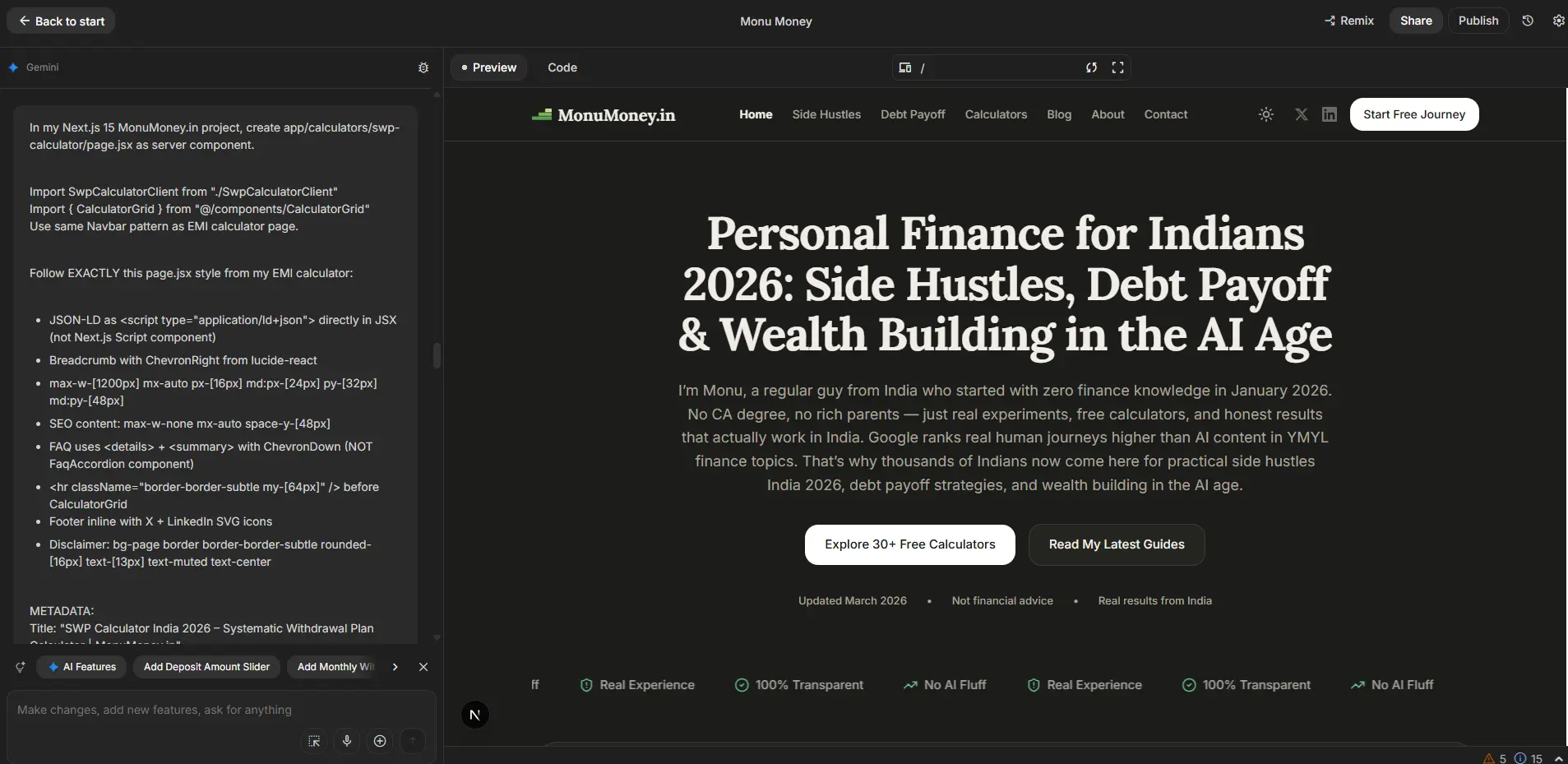
AI Studio receives the engineered prompt and generates the complete component — the calculator client, the page with SEO metadata, the JSON-LD schema, the FAQ section, the CalculatorGrid for internal linking. Usually in one generation.
The key insight: Claude is the translator between my human explanation and AI Studio's code generation. Without that translation step, I was getting generic code that didn't match my project's style. With it, the generated code fits into the existing codebase almost seamlessly.
I chose Google AI Studio over alternatives like v0.dev or Cursor for a specific reason — my B.Tech CSE background gives me enough code-reading ability to verify the output, but not enough to write complex React/TypeScript from scratch. AI Studio's code generation for this kind of well-defined fintech component is consistently accurate when the prompt is good.
The Night My Website Completely Broke
This happened in the early weeks, before I developed the two-step workflow.
I wanted to update the FAQ section across the site — change the styling from plain HTML to a nicer accordion component. Simple enough change, or so I thought. I wrote a prompt directly in AI Studio describing what I wanted.
The AI applied changes to the entire website. Not just the FAQ component. The entire site.
Half the pages lost their styling. Calculator inputs stopped working. The dark mode toggle broke. Things that had nothing to do with the FAQ section were broken.
I was staring at a completely dysfunctional website at about 9:45 PM on a Tuesday. I had to be at work at 9 AM.
Here's what saved me: Google AI Studio has a restore/version history feature. I went back to the previous stable version and restored it. The site came back. Lost maybe 45 minutes of panic and 20 minutes of actual restoration.
But this was the moment the two-step workflow became non-negotiable for me. The problem wasn't that AI made a mistake — it's that I gave it a vague, under-specified prompt that it interpreted too broadly. Claude's pre-engineered prompts are specific. They scope the change explicitly. They say "modify only this component, do not touch these files, maintain this existing pattern." That specificity is what prevents the AI from doing something technically correct but catastrophically broader than intended.
I don't have deep enough coding skills to manually debug a broken Next.js 15 site at 10 PM. That's a real constraint. The two-step workflow is partly a technical improvement and partly a risk management system for someone in my position.
How Do You Verify the Math Is Actually Correct?
This is the question every developer asks when they hear about vibe-coded fintech tools.
My answer: I cross-reference against multiple known sources before considering a calculator "done."
For the EMI calculator — I compared outputs against SBI's official EMI calculator on their website. For the SIP calculator — I verified the step-up SIP formula against AMFI's published calculation methodology. Also, given recent market trends, see my analysis on the record 2026 SIP inflows vs FPI outflows. For the XIRR calculator — I built the same cashflow scenario in Google Sheets and verified the output matched.
The flat vs reducing rate calculator was the hardest. The conversion from flat to reducing rate equivalent requires Newton-Raphson iteration — an iterative mathematical method that's harder to verify intuitively. I found three separate Indian bank documentation sources explaining the algorithm, gave all three to Claude, and asked it to verify the implementation. Then I tested the output against two different online converters.
When they all agreed, I shipped it.
The verification step is non-negotiable. AI Studio generates code that looks correct and often is correct — but the fintech context means a wrong formula produces a number that looks plausible but is actually wrong. Users won't catch it. Only careful testing against known sources will.
What's the Actual Monetisation Plan?
The title says "profitable." I should be honest about where that stands right now.
Currently: zero revenue from MonuMoney.in.
The monetisation plan has one confirmed step and two potential future ones.
Step 1: Google AdSense at approximately 10,000 monthly visitors. Not before that. I won't apply at 500 visitors and clutter the site with ads that serve no one. At 10K monthly visitors, AdSense revenue on a finance site in India is meaningful — typically ₹3,000-₹8,000/month depending on traffic quality and ad placement. I'll run 2-3 clean ads per page maximum, placed so they don't interrupt the calculator experience. Site speed matters for SEO and for user experience, so I won't sacrifice either for extra ad inventory.
Step 2: Nothing right now for affiliates. I'm not placing Zerodha or Groww affiliate links today. The reason is simple — I haven't been using those platforms long enough to have genuinely useful things to say about them as an affiliate. When I've used a product for 12+ months and have a real opinion, the affiliate relationship feels authentic. Before that, it feels like promotion. I'll revisit this in late 2026.
Step 3: Lead generation is an interesting future idea. I'm in Panipat. There are local CAs, insurance agents, and loan DSAs who would pay for qualified leads — someone who has calculated their home loan eligibility on my site and is now ready to talk to a professional. This is a genuinely interesting model for a fintech tool that serves Tier 2/3 city users. But it requires traffic first, then relationships with local professionals, then systems to handle the lead handoff. I'm not there yet.
The honest financial projection: if MonuMoney.in reaches 10K monthly visitors by December 2026 (which the current growth trajectory suggests is possible), AdSense income at ₹5,000/month means the site pays for itself and generates a modest side income. At 50K monthly visitors — which is a realistic 18-month target for a well-optimised finance calculator site — AdSense income could be ₹20,000-₹40,000/month. That's not replace-your-job money yet. But it's meaningful.
What Would I Tell Someone Starting This Today?
Three things, based on what I actually learned:
Pick a niche with well-defined logic. Finance calculators work for vibe coding because the formulas are documented. Don't try to vibe-code something where you can't verify the output is correct — that's where it fails.
Build the two-step workflow before you need it. Don't learn this lesson the hard way at 10 PM with a broken website. Use an AI assistant that understands your project to pre-engineer prompts before passing them to code generation tools. This one change probably doubled my output quality.
The schedule matters more than the talent. I don't code better than someone with 5 years of professional experience. I almost certainly code worse. But I show up from 7 to 9 or 10 PM, five days a week, and I don't stop. Consistency over 1 month produced 12 calculators. That's not talent. That's just showing up.
Frequently Asked Questions
Do I need a CSE background to do this?
No — but it helps with verification. My B.Tech CSE background means I can read the generated code, understand roughly what it's doing, and spot when something looks structurally wrong even if I can't fix it from scratch. Someone without any programming background can still use this workflow, but they'll have a harder time verifying the math in financial calculators. For non-fintech tools — landing pages, content sites, basic web apps — a coding background is much less important.Can Google AI Studio build a complete Next.js project from scratch?
For individual components and pages, yes — it works well. For initialising an entire Next.js project with the right configuration, environment setup, and deployment pipeline, the answer is more nuanced. I set up the initial Next.js 15 project with Tailwind and Vercel deployment early on, and that required more back-and-forth. Now that the foundation exists, adding new pages and components is much more reliable. Start with an existing template or starter, then use AI Studio to build on top of it.How much time does each calculator actually take to build?
The first few took me 3-4 hours each, including research, prompting, testing, and debugging. By calculator 8 or 9, I was getting to a functional first version in about 90 minutes. The pattern gets familiar — the prompt structure, the verification approach, the deployment check. The SEO content writing adds another 60-90 minutes per calculator. Total time per finished calculator page with full content: approximately 3-4 hours consistently.What happens when AI Studio generates broken code?
First option: restore the previous version (AI Studio's version history). Second option: describe what broke to Claude, get a targeted fix prompt, apply it. Third option — for genuinely confusing errors — Google the error message and ask Claude to explain it. I've had to do option three a handful of times, usually for TypeScript type errors that AI Studio introduced. The errors are almost always fixable within 30 minutes if you approach them systematically rather than panicking.Is vibe coding "real coding"?
Honestly? It doesn't matter. The calculators work. The formulas are correct. The pages rank on Google. The code is production-deployed on Vercel and handles real users. Whether the process used to write that code meets some definitional threshold of "real coding" is an interesting philosophical question that has no bearing on whether it's useful. Use what works. Verify the output. Ship.What Comes Next
The next three months are about traffic, not building. The calculators are there. The content is there. The SEO infrastructure is there — sitemap, schema markup, breadcrumbs, internal linking, llms.txt for AI discovery.
Now it's about writing enough genuinely useful content that Google decides MonuMoney.in deserves to rank. Each free calculator on the site is a potential ranking page. Each blog post is a potential entry point. The compound effect of useful content and functional tools is what drives the traffic number toward 10,000.
I'll report back honestly on whether that happened — with real numbers, not sanitised ones.
That's the whole point of building this in public.
This post is written from personal experience only. Nothing here constitutes professional coding or financial advice. The vibe coding workflow described works for my specific situation, stack, and project — your results will depend on your own technical background and the type of product you're building.
Questions about the workflow? Email me at contact@monumoney.in or find me on X @monu_money.